
In project scheduling, selecting the correct activity type is essential to building a reliable, realistic project schedule. In Oracle Primavera P6, activity types determine how task durations behave and how calendars and resources influence schedule calculations. Among these options, the Resource Dependent activity type is critical when an activity’s progress depends on the availability and productivity of assigned resources.
In this guide, we’ll explain how Resource Dependent activities work in Primavera P6, when to use them, how they differ from other activity types, and how planners can configure them for accurate scheduling.
Why Activity Types Matter in Primavera P6 Scheduling?
Activity types control how durations, calendars, and resources interact within a project schedule. Choosing the wrong type can lead to inaccurate durations, resource conflicts, and unrealistic project timelines.
For example:
- Some activities follow the project calendar only
- Others adjust based on resource availability
- Certain activities are used only for milestones or reporting
Understanding these activity types is essential for effective project planning. That’s why our EPC Planning Course is designed to teach you how to structure large-scale engineering, procurement, and construction schedules accurately.
Key Activity Types Available in Primavera P6
Primavera P6 offers several activity types designed for different scheduling scenarios.
1. Task-Dependent Activities
Task-dependent activities are the most commonly used activity type.
Key characteristics:
- Duration follows the activity calendar
- Resource calendars do not influence duration
- Ideal for tasks that follow the project schedule, regardless of resource availability
For Example, concrete curing time or equipment setup tasks that must run for a fixed duration.
2. Resource Dependent Activities
Resource-dependent activities are used when an activity’s duration depends on assigned resources.
Key characteristics:
- Activity duration responds to resource availability
- Resource calendars influence work distribution
- Suitable for labor-intensive or equipment-driven tasks
For example, if a construction task requires labor crews that work only on specific days, the activity schedule adjusts according to the crew’s working calendar.
3. Level of Effort (LOE)
Level of Effort activities represent ongoing support work that spans other activities.
Key characteristics:
- No independent duration
- Duration depends on the linked predecessor and successor activities
- Often used for support tasks such as project supervision, site monitoring, and dewatering operations
4. Start Milestone
Start Milestones represent important starting points in a project.
Characteristics:
- Zero duration
- Marks the beginning of a project phase or key event
- Used for schedule tracking and reporting
For Example, Notice to Proceed (NTP) date.
5. WBS Summary Activities
WBS Summary activities represent rolled-up information for reporting purposes.
Key characteristics:
- Summarizes activities within a Work Breakdown Structure
- Used for high-level schedule analysis
- Does not represent actual work
Want to Make Your Project Scheduling More Organized!
Watch this step-by-step video to learn how to create and assign activity codes in Primavera P6:
How to Configure a Resource Dependent Activity in Primavera P6?
Setting up a Resource Dependent activity involves creating or assigning resources and linking them to the activity. Below is a simplified step-by-step approach:
Step 1: Create or Access a Resource
First, open the Resources window in Primavera P6.
When creating a new resource:
- Enter the Resource ID and Resource Name
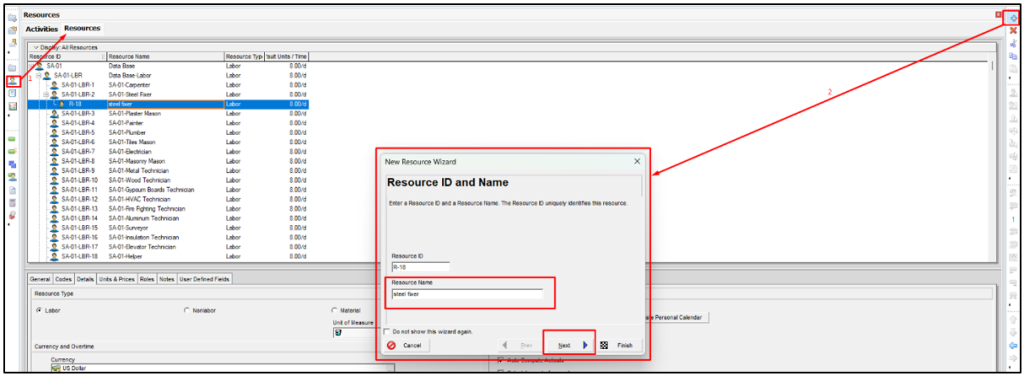
Source: Planning Engineer
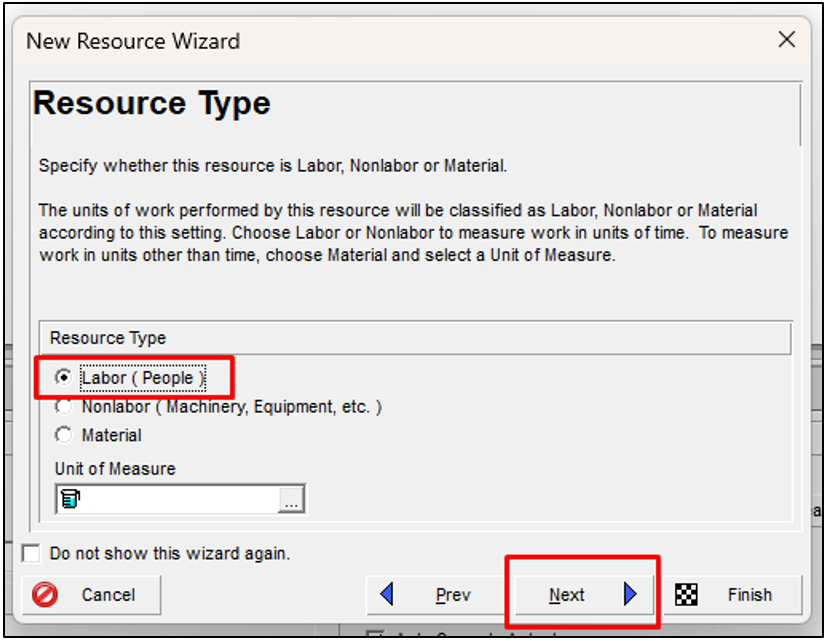
- Select the resource type (labor, equipment, or material)
- Define the cost per unit
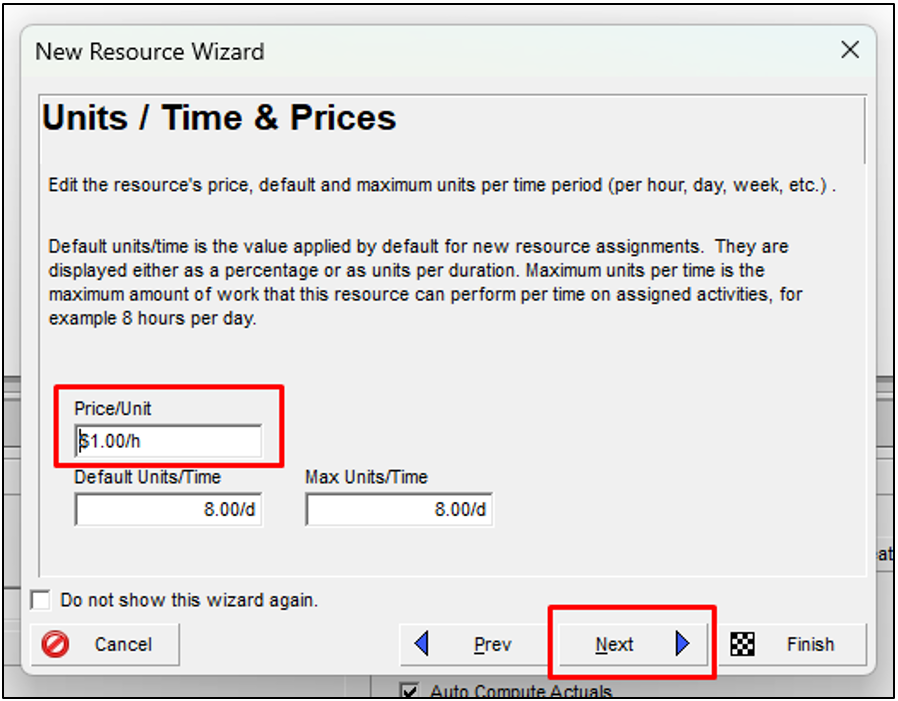
- Specify default units per time
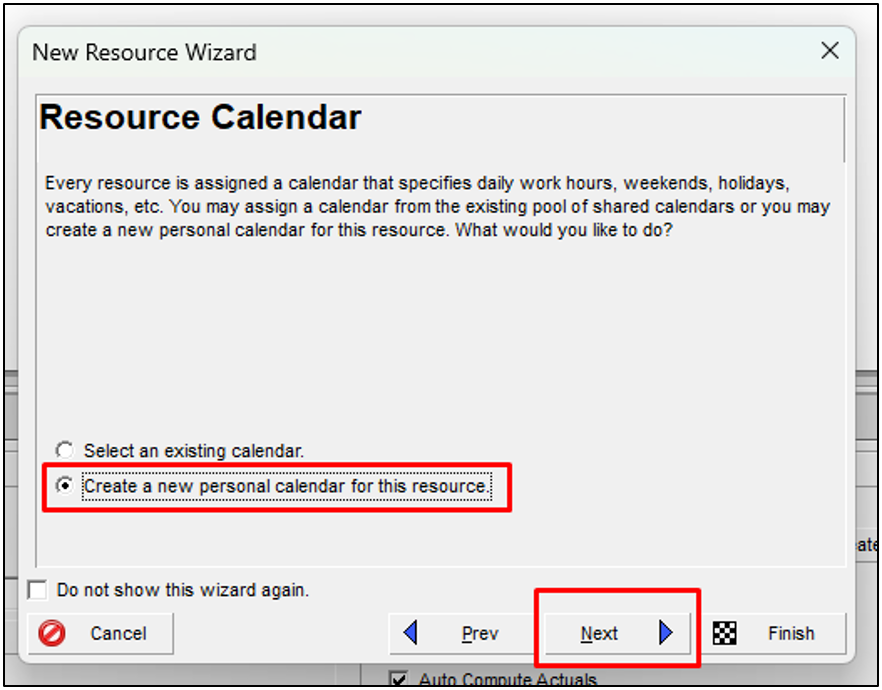
For example, a labor resource may be assigned 8 hours per day.
Step 2: Assign a Resource Calendar
To reflect real-world availability, create or modify a personal resource calendar.
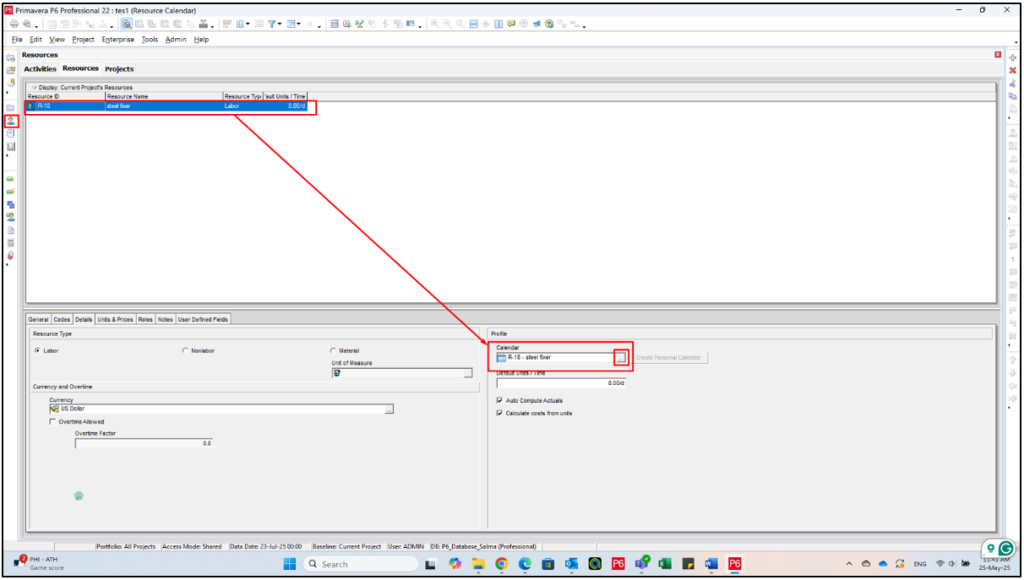
For example, the resource may:
- Be off every Friday and Saturday
- Take a vacation from 27 July to 31 July
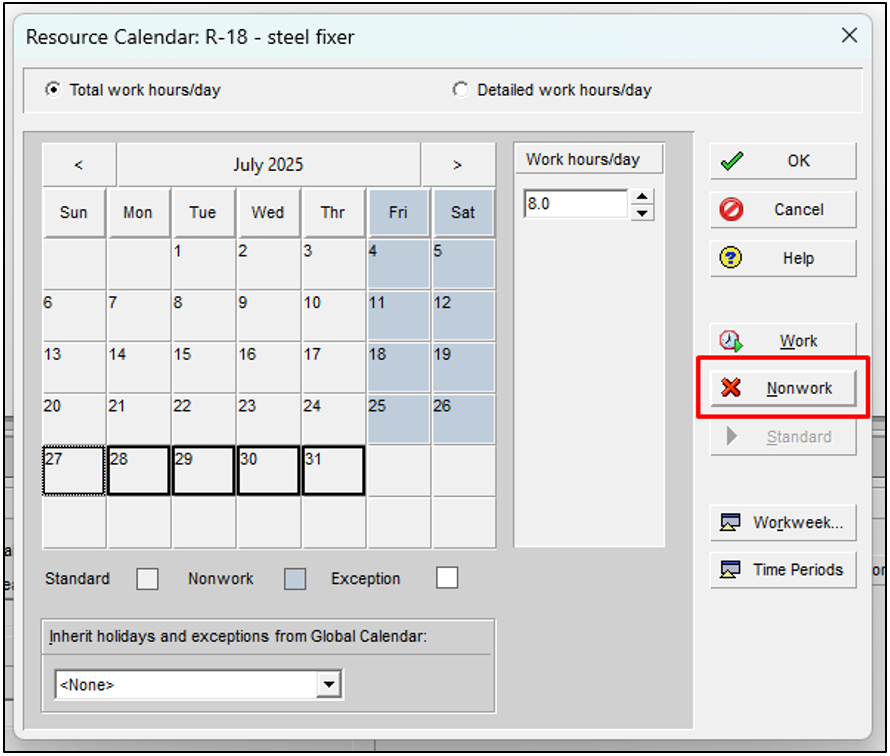
Step 3: Set the Activity Type to Resource Dependent
This step tells Primavera P6 to calculate the activity timeline based on the assigned resources.
- Select the activity in the Activities window
- Open the General tab
- Change Activity Type to Resource Dependent
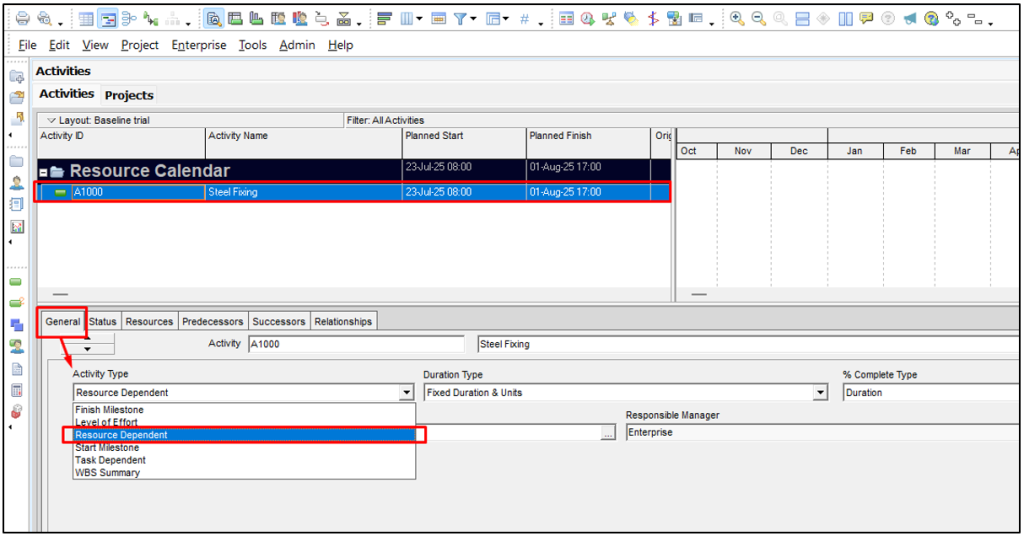
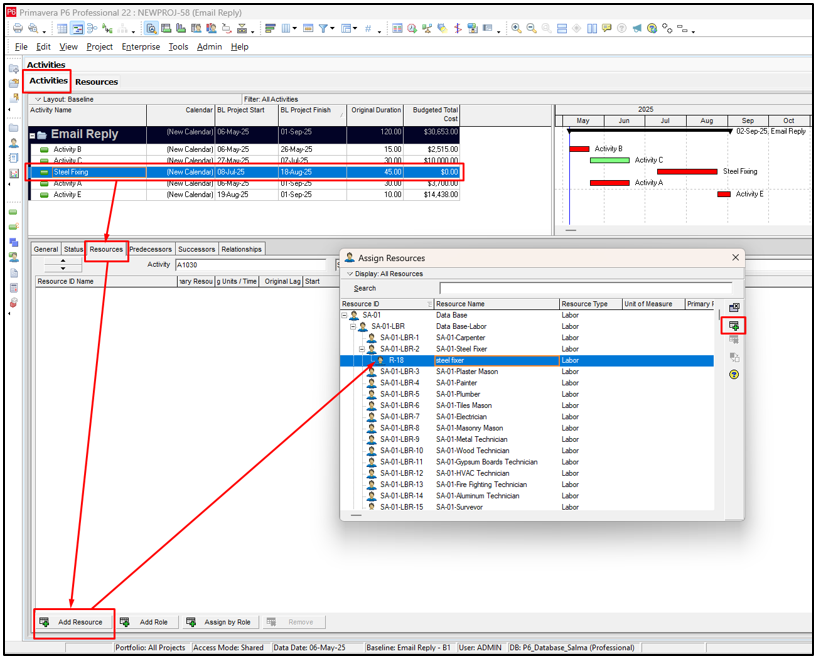
Step 4: Assign the Resource to the Activity
Now assign the resource:
- Open the Resources tab
- Click Add Resource
- Select the resource created earlier
- Confirm the assignment
When Should You Use Resource Dependent Activities?
Resource Dependent activities are particularly useful in projects where labor and equipment availability directly influence productivity.
Common examples include:
- Construction labor tasks
- Equipment-intensive activities
- Specialized subcontractor work
- Limited-resource operations
Mastering these activity types is essential for accurate project scheduling. In addition, our Plant Shutdown Management Course equips you with practical skills to plan, execute, and manage projects with confidence.
Conclusion
Resource Dependent activities are a powerful feature in Oracle Primavera P6, enabling project planners to build schedules that accurately reflect resource availability and productivity.
In this blog, we discussed the importance of activity types in Primavera P6 scheduling. We also explored the major activity types available in Primavera P6. Additionally, we explained how Resource-Dependent activities work and the step-by-step process for configuring them.
By careful planning and disciplined use of Resource-Dependent activities, you can avoid scheduling conflicts, improve resource allocation, and enhance project control.